Join for FREE | Take the Tour Lost Password?
Shop deviantART for the
holidays and save BIG!
Click here! :holly:
[x]

deviantART

 
Creative Commons License
Some rights reserved. This work is licensed under a
Creative Commons Attribution-Noncommercial-No Derivative Works 3.0 License.
:iconimmortalmedia:

Artist's Comments

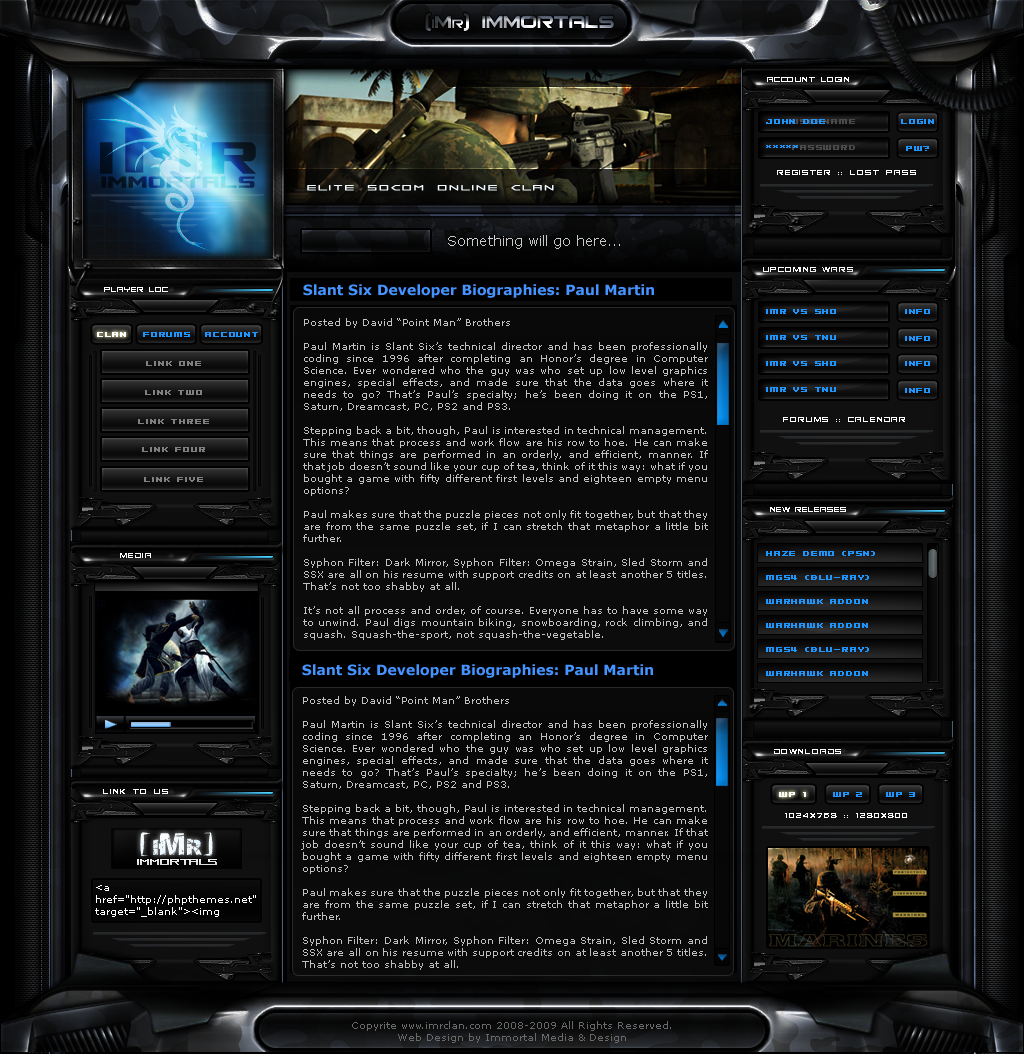
Well the overall look has finally been locked down. Now it's just a matter of perfecting, voting on fonts to be used, working out details and such, then the big task of Flashing it up and adding interaction/coding.

This is NOT the final product and is subject to change. Site will be being worked on in the coming months leading up to Sept. release of PS3 game "Socom Confrontation".

Comments and Suggestions appreciated.

Made in Photoshop CS3

Comments


love 0 0 joy 0 0 wow 2 2 mad 0 0 sad 0 0 fear 0 0 neutral 0 0
:iconaxertion:
I love how solid this theme is. The small details like the subtle camo on the metal is awesome! +fav man :)
:iconaxertion:
I see you have advanced critique on. A few suggestions you can add to an already perfect design. Maybe a few LEF glowing lights here and there.

Block titles are a big cramped. I'd try a differnt "block" font to make it easier to read. Even add a soft metal gradient to spice it up a bit ;)
:iconplantanium:
how do you make this metall effect

--
SAVE MICHAEL JACKSON --- [link]
:pride:
:iconimmortalmedia:
Thnks alot! Can't wait to show the Flash version

--
Area 01 Designer's Club
:iconimmortalmedia:
:-) A lot of people asked about that on my 101 clan site interface as well. Basically make your shapes and metal work, indents etc, all in plain shades of gray. Once u make your metal, find a good camo pattern on Google or w/e and set it to Overlay, Transparency to about 60-90% based on your preference. Place this over your metal. Sometimes, depending on what kind of metal look you have, Soft Light and Color Burn can look good too...but Overlay always yields best results in my opinion. Soft-edge erase the camo layer over of lit edges and etc of the metal below to reveal their detail. You can see this clearly at my 101 site interface, i erased the camo completely in some spots to give it a worn look, also as if only certain angles of light are bringing out the camo. Good luck, show me if u try this at all, I'd like to see! ;-)

--
Area 01 Designer's Club
:iconimmortalmedia:
Thnx so much for the suggestions! I'll be posting up an updated version soon with new stuff added.

--
Area 01 Designer's Club
Hidden by Owner
Hidden by Owner
Hidden by Owner
:iconplantanium:
ok thx

you can on next time writing a tut?


gretz

--
SAVE MICHAEL JACKSON --- [link]
:pride:

Details

May 4, 2008
679 KB
679 KB
1024×1054

Statistics

39
44 [who?]
6,831 (6 today)
403 (1 today)

Share

Link
Embed
Thumb

Site Map